Preserves the main data structures and theme API of upstream CFS 2.6.7.
Purpose-built for WordPress
Build betterWordPressediting screens.
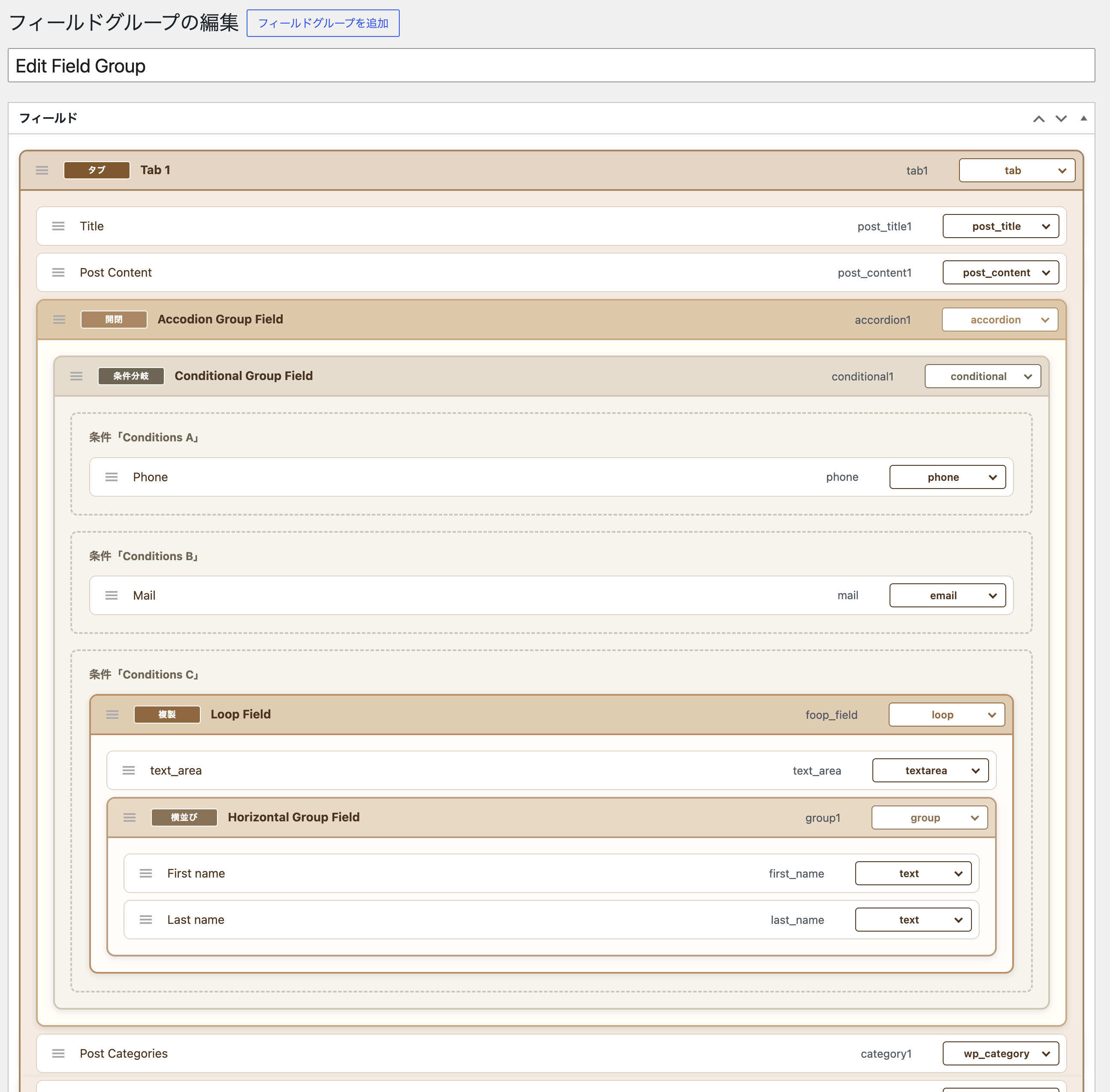
atshift Fields does more than create the input fields you need. Organize them with tabs and accordions, show only relevant fields with conditional logic, and handle flexible groups with repeatable fields.
Practical maintenance without abandoning existing sites.
For websites built with the original Custom Field Suite, existing field groups, post metadata, and CFS()->get() output are preserved while improvements continue for use in current WordPress environments.
Addresses known XSS, SQL injection, capability, and unsafe code execution classes.
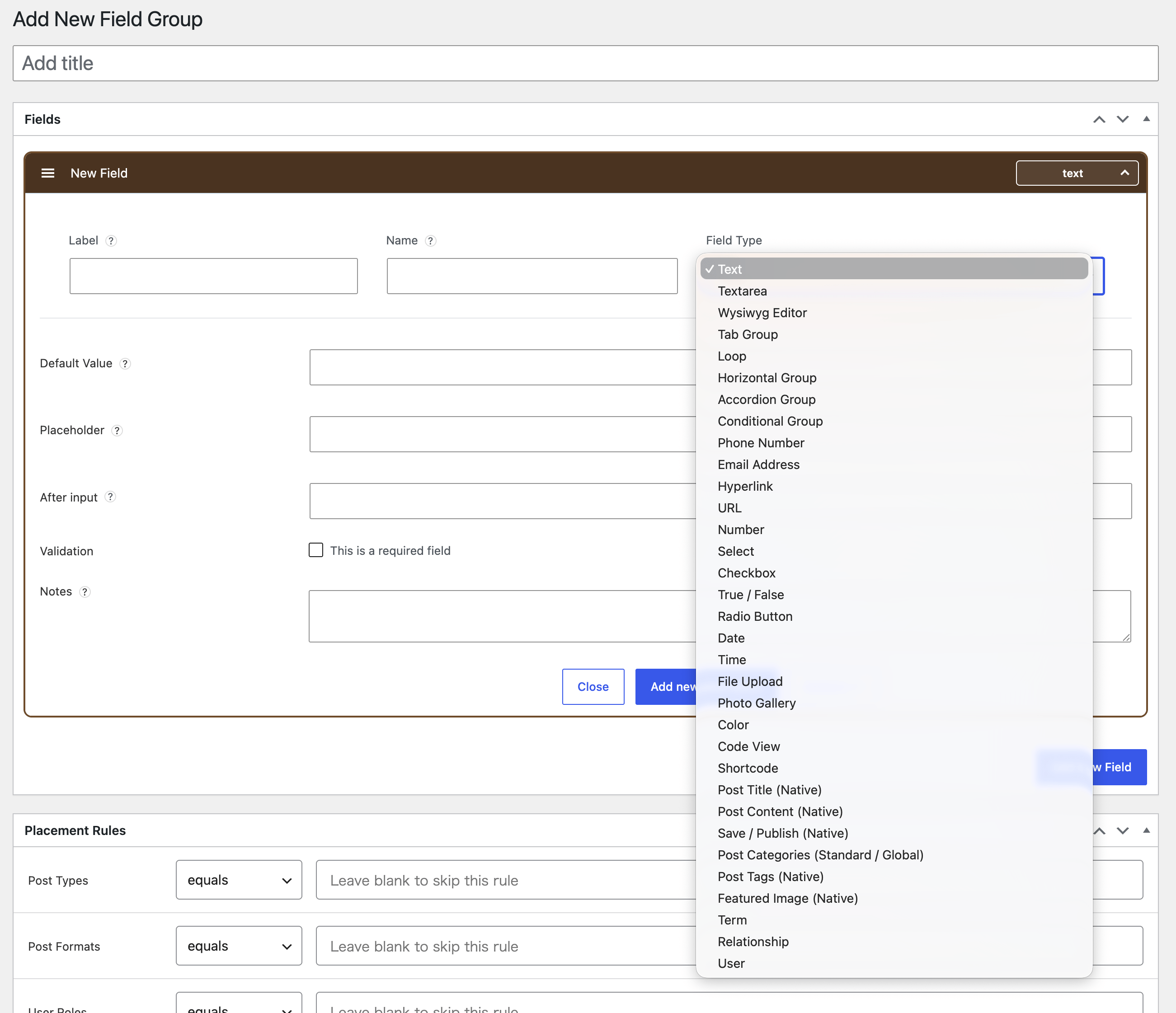
Adds phone, email, URL, time, photo gallery, code view, shortcode, embed code, horizontal groups, accordions, conditional groups, and more.
Improves validation feedback, structure badges, drag behavior, and placeholders.
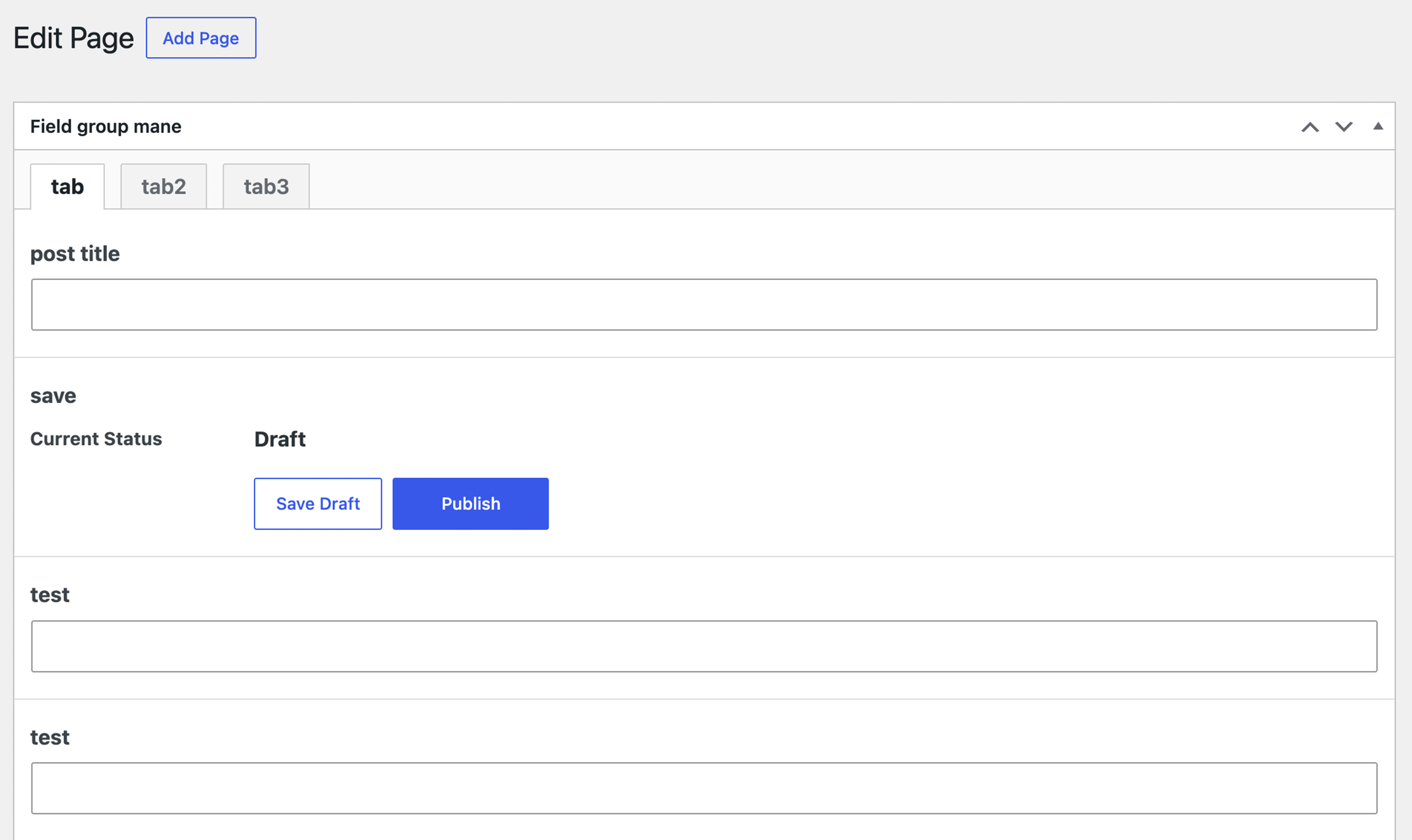
Manage post titles, native post content, save and publish controls, post categories, Shared Taxonomy terms, tags, and featured images from within a field group.
Field settings and data-entry screens are translated into Japanese and other supported languages.
Included field types
Select a field type to see its returned value and a safe output example.
Orange buttons indicate fields added by atshift Fields.
Designed to feel at home in WordPress.
Fields appear in the post editor through WordPress classic meta box compatibility, including block editor environments.
Getting started
The workflow remains familiar to existing CFS users. Always back up your site and test on staging before replacing an existing installation.
Install the plugin
Install it from the WordPress admin plugin screen or from WordPress.org, then activate it. Do not activate the original CFS plugin at the same time.
It is available on WordPress.org.
Create a field group
Open Settings → atshift Fields, add fields, and configure placement rules such as post type.
Open the Setup guideEnter content
Fields appear on matching post, page, or custom post type editing screens.
Retrieve values in your theme
Use CFS()->get( 'field_name' ), then escape the returned value for its output context.
Output values for every field type
A dedicated reference explains returned value types and safe output examples for text, media, photo galleries, post categories, Shared Taxonomy terms, post titles, post content, save and publish data, choices, relationships, loops, and more.
Original CFS API compatibility
The API reference covers the main methods used by existing themes, including CFS()->get(), save(), find_fields(), and form().
Extend CFS for site-specific workflows
See examples for using field groups as front-end input forms and switching output by scheduled date and time.
FAQ
Important details to review before installation.
Is this the official successor to Custom Field Suite?
No. This is an independent, unofficial compatible maintenance and extension build distributed under GPLv2. atshift Fields is actively maintained to address known vulnerabilities in the original version, improve resistance against potential attacks, and enhance usability through the addition of new field types and other improvements.
Can I replace the original Custom Field Suite with atshift Fields?
Yes. atshift Fields preserves the main data structures and API compatibility, so it can generally be used by replacing the original plugin. Site-specific customizations may affect compatibility, so create a backup and test the replacement on a staging site first.
Does atshift Fields preserve the original Custom Field Suite API?
Yes. It preserves the main APIs used by the original plugin, including CFS()->get(), get_field_info(), get_reverse_related(), save(), find_fields(), and form(). See the compatible API reference for details.
I encountered an error after switching to atshift Fields. Can I restore the original plugin?
Yes. Deactivate atshift Fields and restore the original Custom Field Suite plugin files you saved before the replacement. We recommend backing up both the database and plugin files in advance. Fields and settings added by atshift Fields are not available in the original plugin.
About Add-ons Used with the Original Custom Field Suite
If you used Add-ons that overlap with features included in atshift Fields, such as Time, radio buttons or checkboxes, the field settings and the format used to retrieve values or labels may differ. After deactivating the Add-on, confirm that the existing field settings and saved values are correctly retained, and check that your theme displays them properly. We recommend creating a backup and testing the migration in a staging environment first. If you are using add-ons that do not duplicate functionality already provided by atshift Fields, you may continue using those extensions.
Can both plugins be active together?
No. They share classes and data conventions. Activate only one implementation at a time.
Can I use it with Gutenberg / the Block Editor?
The plugin works with Gutenberg through WordPress's Classic Meta Box compatibility layer, but it does not provide a native block-based input UI. If you want to edit native content inside Fields, add the Post Content (Native) field and use either Textarea or Visual editor mode. Matching posts can hide the standard content editor / Block Editor area. If you want the Fields area to include the save workflow too, add the Save / Publish (Native) field.
Can I export and import field group settings?
Yes. In the WordPress admin, open Tools → atshift Fields Tools to export field group settings as JSON and import them into another site. This exports field group definitions only; field values entered on individual posts are not included.
Where can I report an issue?
Use the WordPress.org support forum for the public release, or GitHub Issues for development reports.